
How to play
You already know how to play.
Tingo is bingo, played with the world around you. Someone builds a themed list of things to find, everyone gets their own board, and five in a row is a Tingo. Here's everything you need to know, from setting up your first game to calling the winner.
The basics
One list of finds. A different board for everyone.
Every Tingo game starts with a list of finds — real-world things to spot, chosen for whatever you're doing. A road trip, a birthday party, a walk around the block. The list is the game.
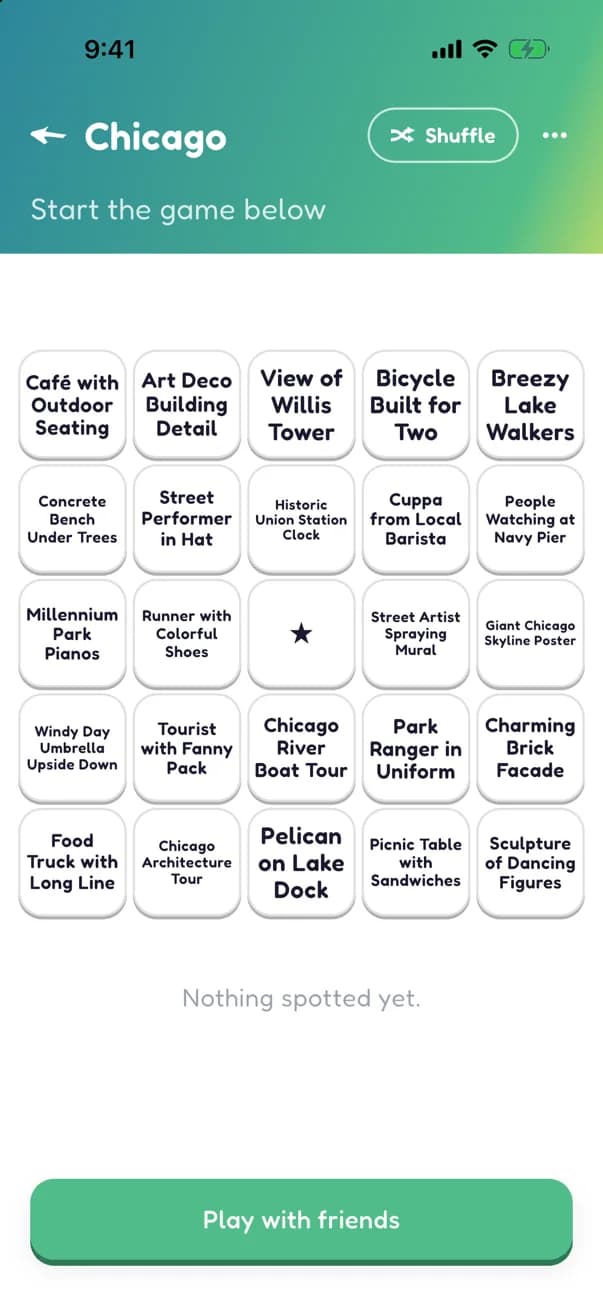
Each player gets their own 5x5 board dealt from that list. Same game, different board — yours is a random sample and shuffle of the finds, so nobody can copy their neighbor.
Spot something out in the world and mark it on your board. Five marked cells in a row — across, down, or diagonal — is a Tingo. Most games take two of them, so the first one isn't the finish — keep going.
Some games include a free space: the star in the middle of every board. It still takes a tap, but everybody gets it.
Game types
Every game starts from a game type.
A game type is the recipe your game is built from — road trip, birthday party, nature walk. It decides which setup questions you'll answer and gives the game its personality. A few special flavors to know about:
Camera games
Some game types are camera games: every find needs a photo. Marking a find lets you snap a new photo or choose one from your library to claim it, and your photo stays with the find for the whole group to see.
Timed games
Some games run on a clock. You pick an end date and time while setting up, and the game wraps itself up right on schedule — most Tingos wins.
Sponsored games
Spotted a Tingo sign at a café or a shop? Scan it and you're in a sponsored game: hit the Tingo target before the game ends and you're entered in a prize drawing. You'll see how many people are playing and how many have qualified, but never who. When time runs out one winner is drawn — and only the winner is told. Show the winning screen to collect.
Join-any-time games
Most games gather everyone in a lobby before the action starts. Join-any-time games skip the waiting: the game is live the moment invites go out, and people can hop in halfway through. Perfect for parties.
Premium games
Some game types are premium. Creating one is free — the unlock happens only when you start it. More on what that means below.
Hosting
Creating a game
You'll go from blank slate to a game your group can join in a few minutes. Most of that is the fun part: deciding what everyone should hunt for.
Answer a few questions
Pick a game type and tell it about your plans — where you're headed, who's coming, what the occasion is. Your answers become the raw material: Tingo generates a list of finds built around exactly what you told it, not a generic checklist.
Starting a game asks you to sign in first — one tap with Apple or Google, or an email address if you'd rather. A game outlives the afternoon you made it on, and your friends join yours, so it needs somewhere to belong. Joining someone else's game almost never asks for anything. A few game types ask the same way, so the host knows who played.
Along the way you'll pick an icon and a game size. Timed and sponsored game types ask when the game ends instead of a size question of their own. A few game types come with their finds already picked — those skip the size question, since the list decides it.
You'll also name a prize — bragging rights, losers buy the ice cream, whatever you like. Everyone sees it when they're invited, while they wait to start, and when the winner is announced. Not playing for anything? Pick “No prize” and it never comes up. You can change your mind any time before the game finishes.
Make the list yours
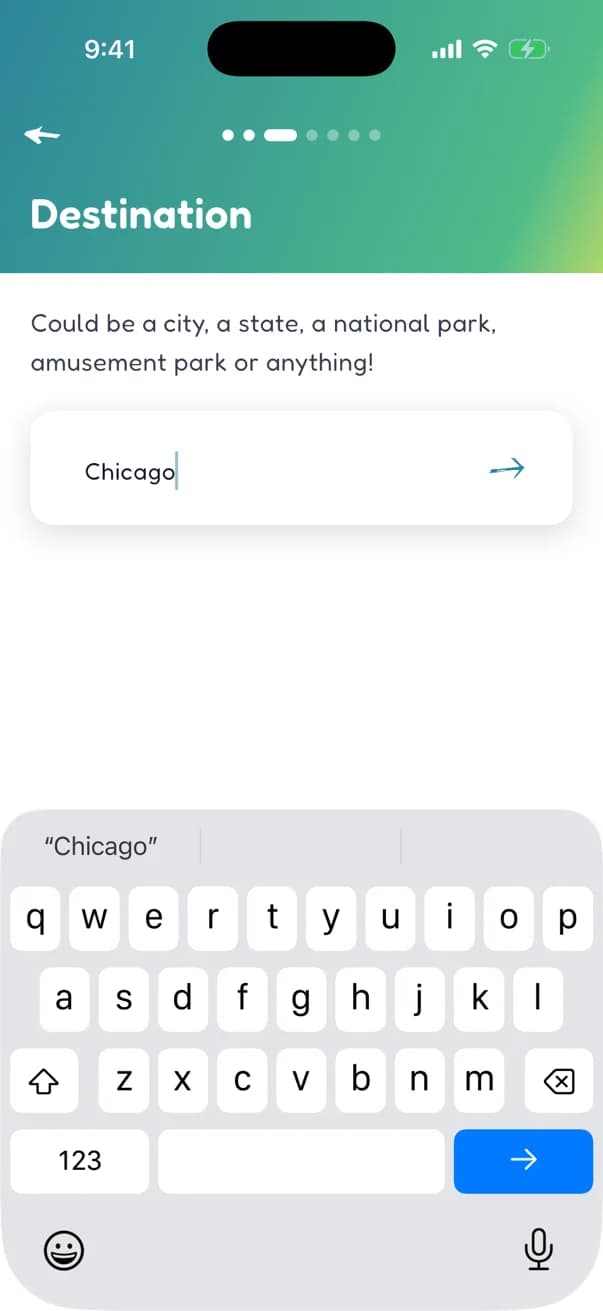
Fresh find ideas roll in a handful at a time. Keep the good ones, reword the almost-good ones, trash the duds — and add your own inside jokes whenever inspiration hits. The progress bar shows how close the list is to your game size, from a quick 40-find game up to a sprawling 70-find hunt.
Nothing goes on a board unless you kept it, so the game ends up feeling like yours — because it is.
Game types that come with their finds already picked skip this step entirely: the whole list is in the moment the game is created, and you go straight to inviting players (or, for a join-any-time game, straight to starting it).
Open the doors
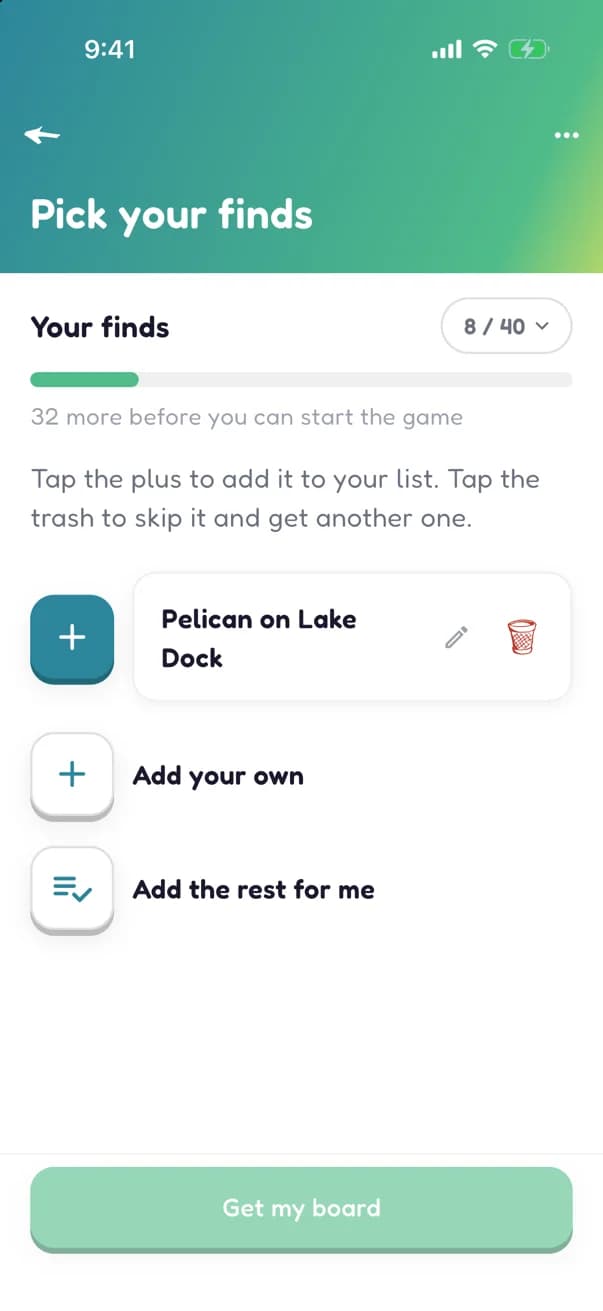
Happy with the list? Tap Invite players. That locks in the finds and gives your game a lobby, a share link, and a QR code. If it's a premium game, this is the moment the unlock happens — which brings us to…
No app to hand? You can do all of this in a browser at letstingo.com/games with the same account: build a game, pick the finds, and play it, with the board, the marks, the Tingos and the results all live. Premium games are included: you can unlock one right there on the web.
Premium
What premium means
Playing Tingo is free. Joining a game never costs anything — your group will never hit a paywall. Creating is free too, for every game type: you can build the whole game and see exactly what you made before deciding anything.
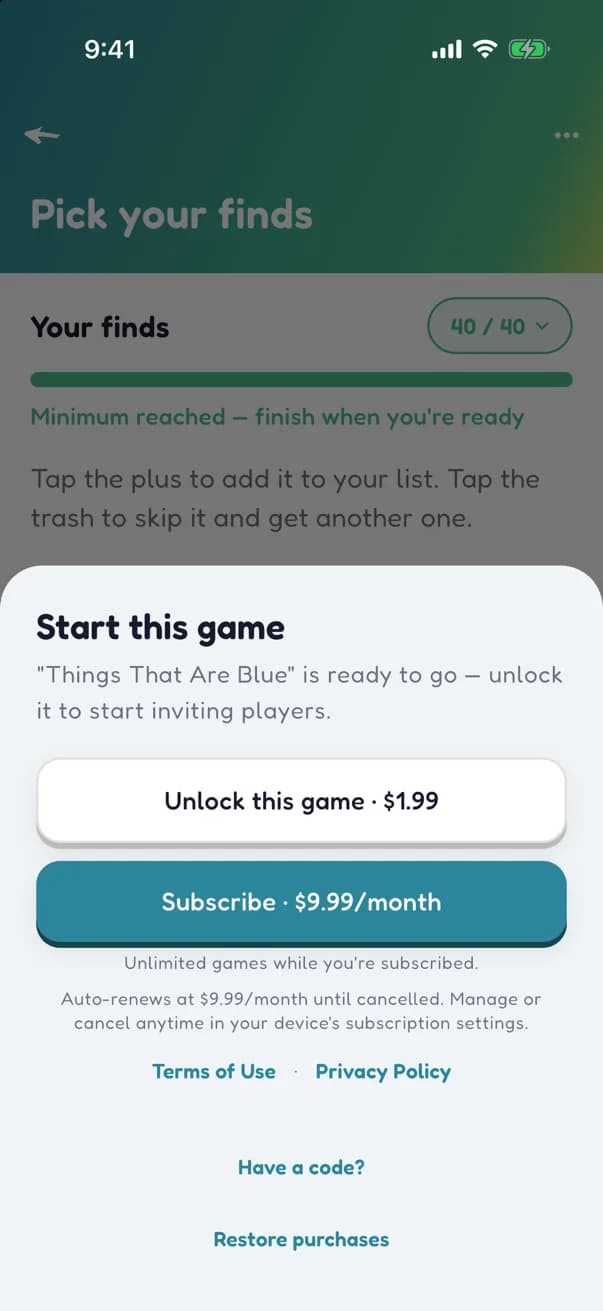
Premium game types ask for an unlock at one moment only: when you're ready to invite players. Unlock just that game with a one-time purchase, or subscribe to start unlimited games. Got a code from us? That works here too. And not every game type is premium — free ones are always around. A few premium types are donation games, where the unlock is a purchase for that game specifically, and a subscription or code does not cover it.
Two nice-to-knows: an unlock sticks with its game, so reopening the list to tinker never charges you twice. And if you delete an unlocked game before it ever starts, the unlock goes back in your pocket. You already have an account by this point — starting a game takes one — and a purchase just adds a quick email verification, which is what keeps what you bought attached to you.
Getting the group in
Inviting players
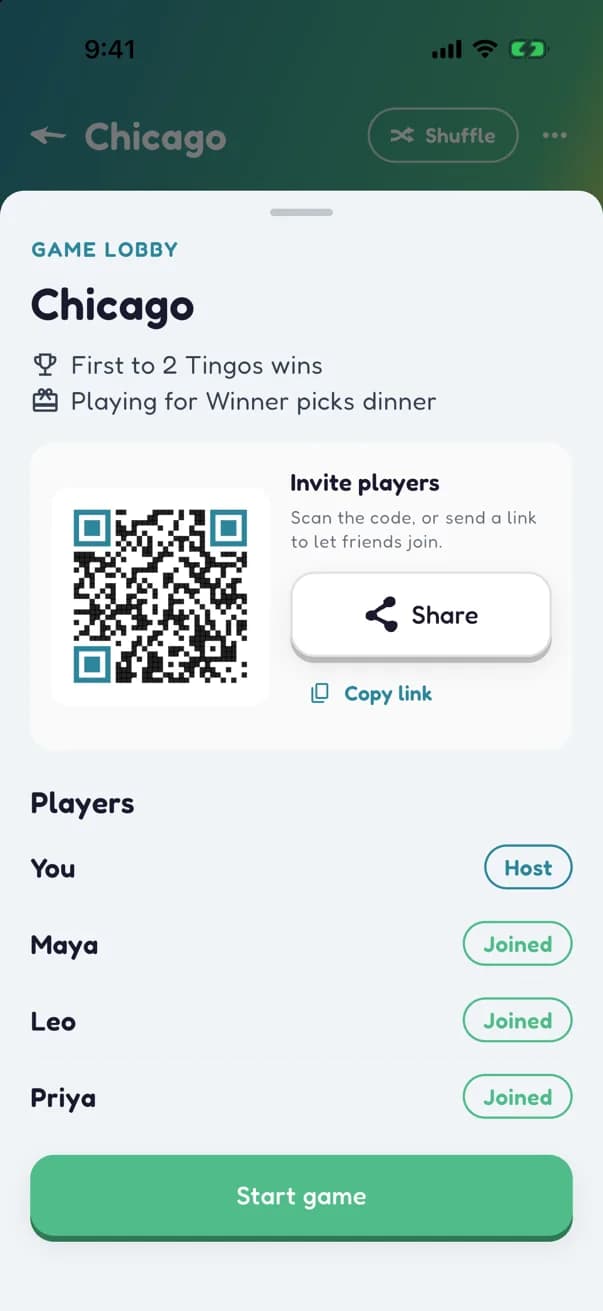
Once invites are open, your game has a lobby: a share link, a QR code, and a live list of everyone who's in. Text the link to the group chat, or let people scan the code straight off your screen.
Players pop into the lobby as they join, each with a board already dealt. When enough of the group is in, hit Start game — every board springs to life at once. You can also close joining whenever you want to cap the roster.
In a join-any-time game there's no lobby to wait in: the game starts the moment invites open, and the link keeps working mid-game so stragglers can jump in.
Playing along
Joining a game
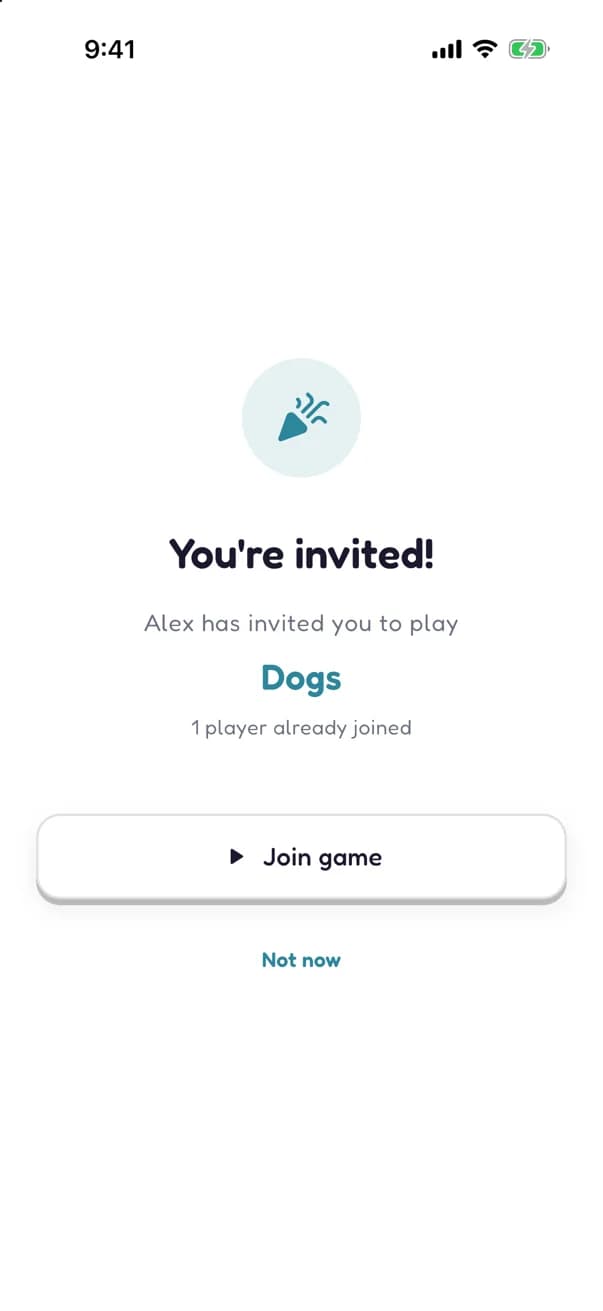
Got a link? Tap it. Got a QR code? Scan it. You'll see who invited you and what the game is, and one tap on Join game puts you in. In the app that usually means no account, no sign-up, no typing (a few game types ask you to sign in first, the same way starting a game does). Joining in a browser always asks you to sign in first, so the game is waiting for you when you pick up the app. Either way you should be looking at your own board within about a minute.
Your board is dealt the moment you join: your own random 5x5 spread of the game's finds. Don't love the deal? Shuffle a new board as many times as you like before the game starts.
If the game hasn't started yet, you'll hang in the lobby with everyone else. If it's a join-any-time game, you're playing the second you land.
Out in the world
Playing your board
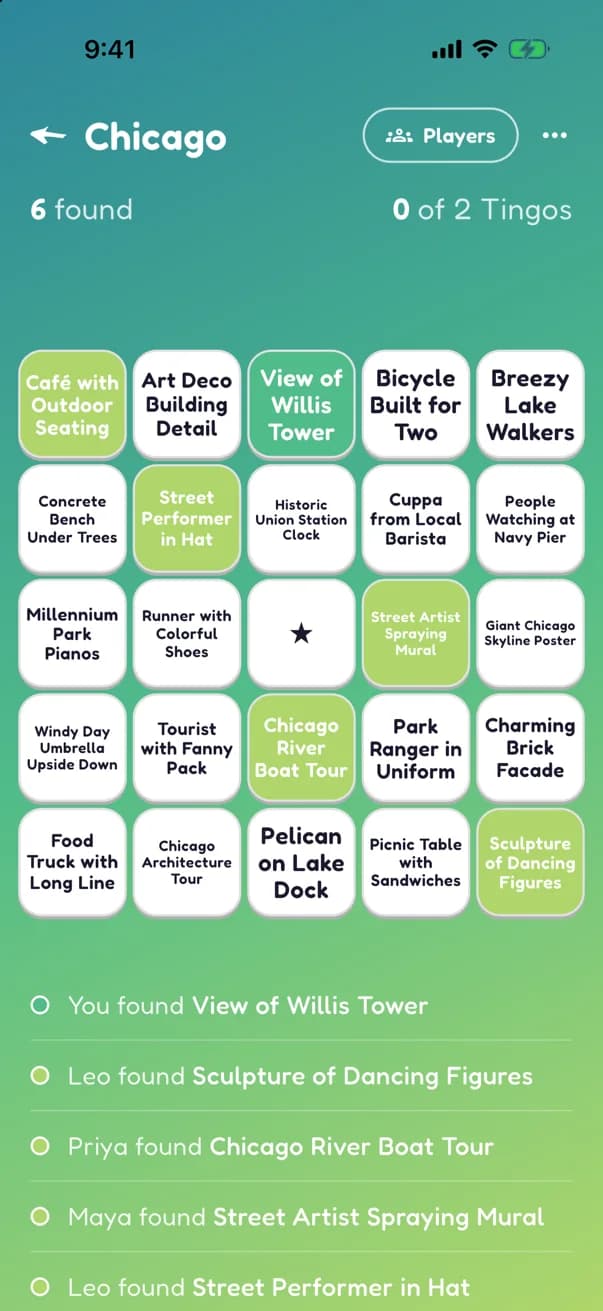
Spot something from your board? Tap the cell to zoom in and hit Found it! — or long-press to mark it on the spot.
Finds are shared by default: the moment anyone in the game finds something, it counts on every board that has it. Cells flip in real time as your group makes progress — mint for your own finds, lime for everyone else's, and a row glowing amber when it's part of a Tingo. Some game types play every-player-for-themselves instead, where only what you find fills your board.
In a camera game, marking asks for a photo: take a new one or choose one from your library. Claim the find with either, and your photo stays on the cell for the whole group to see. Proof, and bragging rights.
No signal on the trail? Keep marking. Tingo remembers everything you found and syncs it the moment you're back online.
The finish line
How a game ends
Every game ends one of four ways.
Someone hits the goal
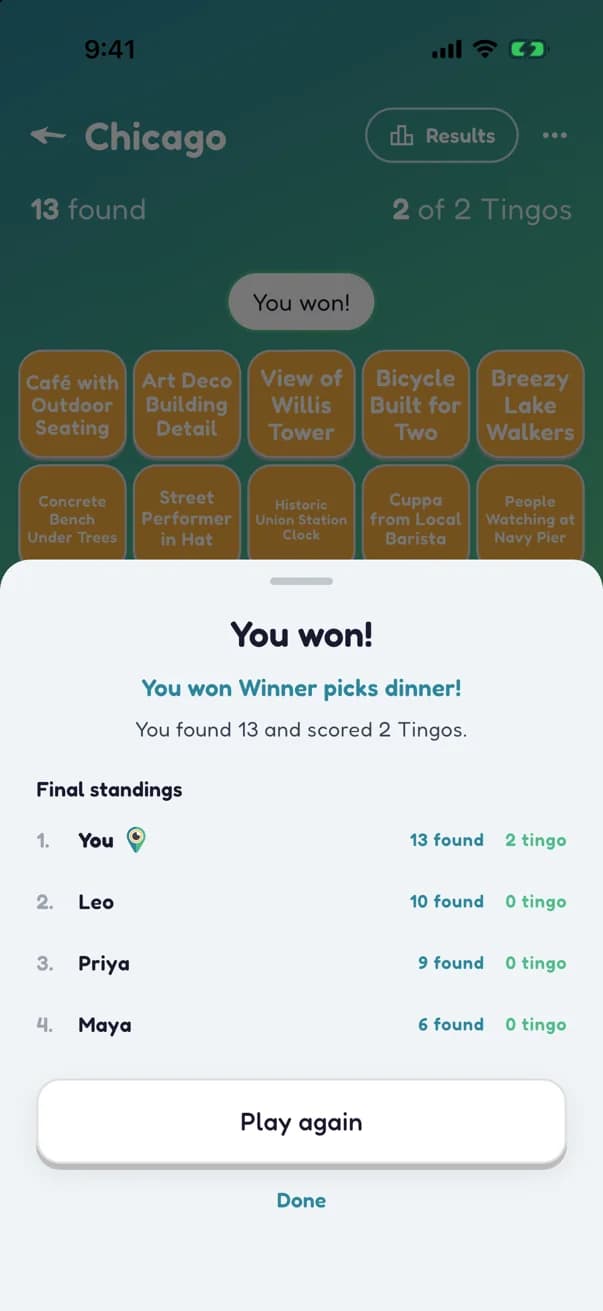
Most games are a race to two Tingos. The moment a player gets there, the game calls itself.
The clock runs out
Timed games end at the date and time the host picked, wherever everyone stands. Most Tingos takes the win, and a tie goes to whoever found more.
The drawing happens
Sponsored games end at their set time with a prize drawing among everyone who hit the target. One winner is picked at random and told privately; everyone else who qualified hears they weren't picked this time.
The host calls it
The host can end any game at any time — that's how “most Tingos by the end of the party” games finish, and how any game wraps up early when it's time for dinner. Standings are ranked the same way: most Tingos, then most finds. (Sponsored games are the one exception: they run until their drawing.)
However it ends, everyone sees the final standings — the winner up top and the full ranking below, for the whole group (sponsored games show you your own result instead). And if the crowd demands a rematch, Play again copies the finds and settings into a fresh game, ready to run back.
Ready to play?
Grab the app, build your first game, and get your group looking up from their phones.
Get the app